 Bytetally
See where your Mac's network data goes.
Bytetally tracks every app's bandwidth, keeps you under your data cap, and lets you throttle or block any app — all on your Mac. Nothing is ever uploaded.
Free to use · Pro features come with a free trial · macOS 14 Sonoma or later
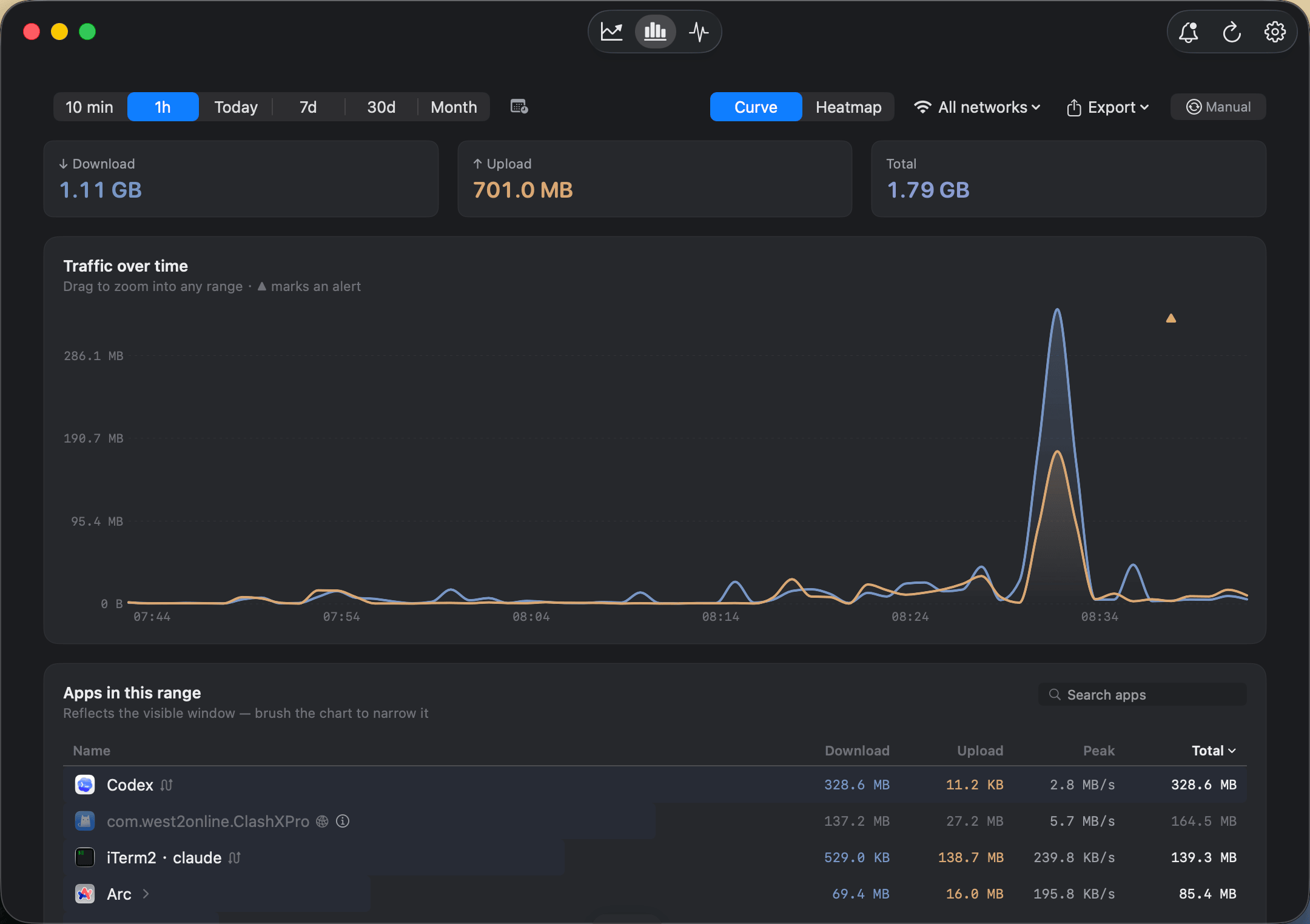
Every byte on your Mac, accounted for.
Core monitoring is free — no account, no sign-up.
Per-app traffic
Upload and download, per app — live rate and totals for this period.
Live in the menu bar
A glanceable ↑↓ speed pulse without opening a window.
Honest attribution
Traces traffic through VPNs and proxies (like ClashX) back to the real app.
Private by design
All analysis on-device. No account. Fully sandboxed.
Go from watching to taking control.
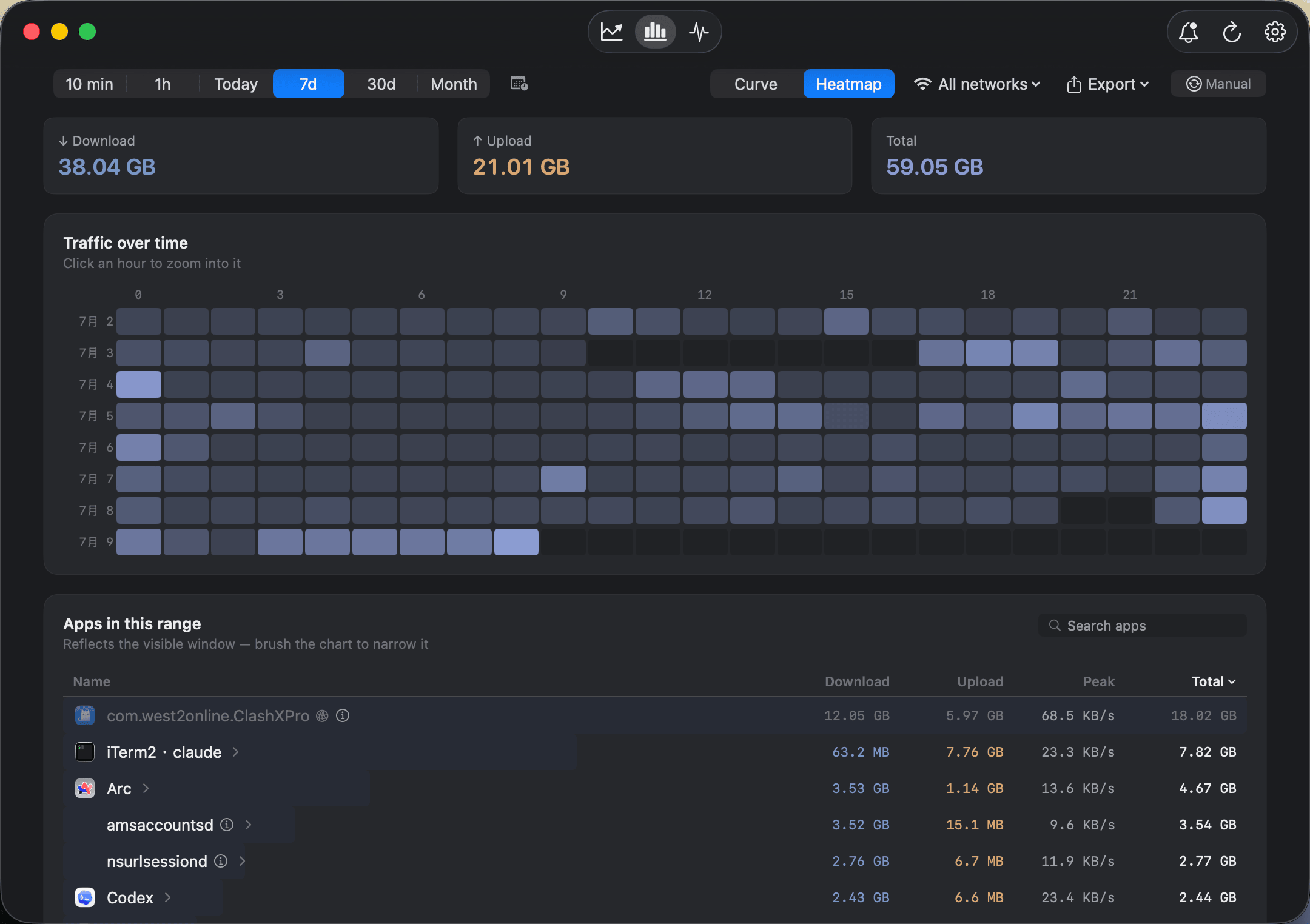
Full traffic history
Look back over any time range, spot peaks on an hour-by-day heatmap, and filter by Wi-Fi network.
- Any custom time range
- Traffic heatmap
- Filter & compare by network
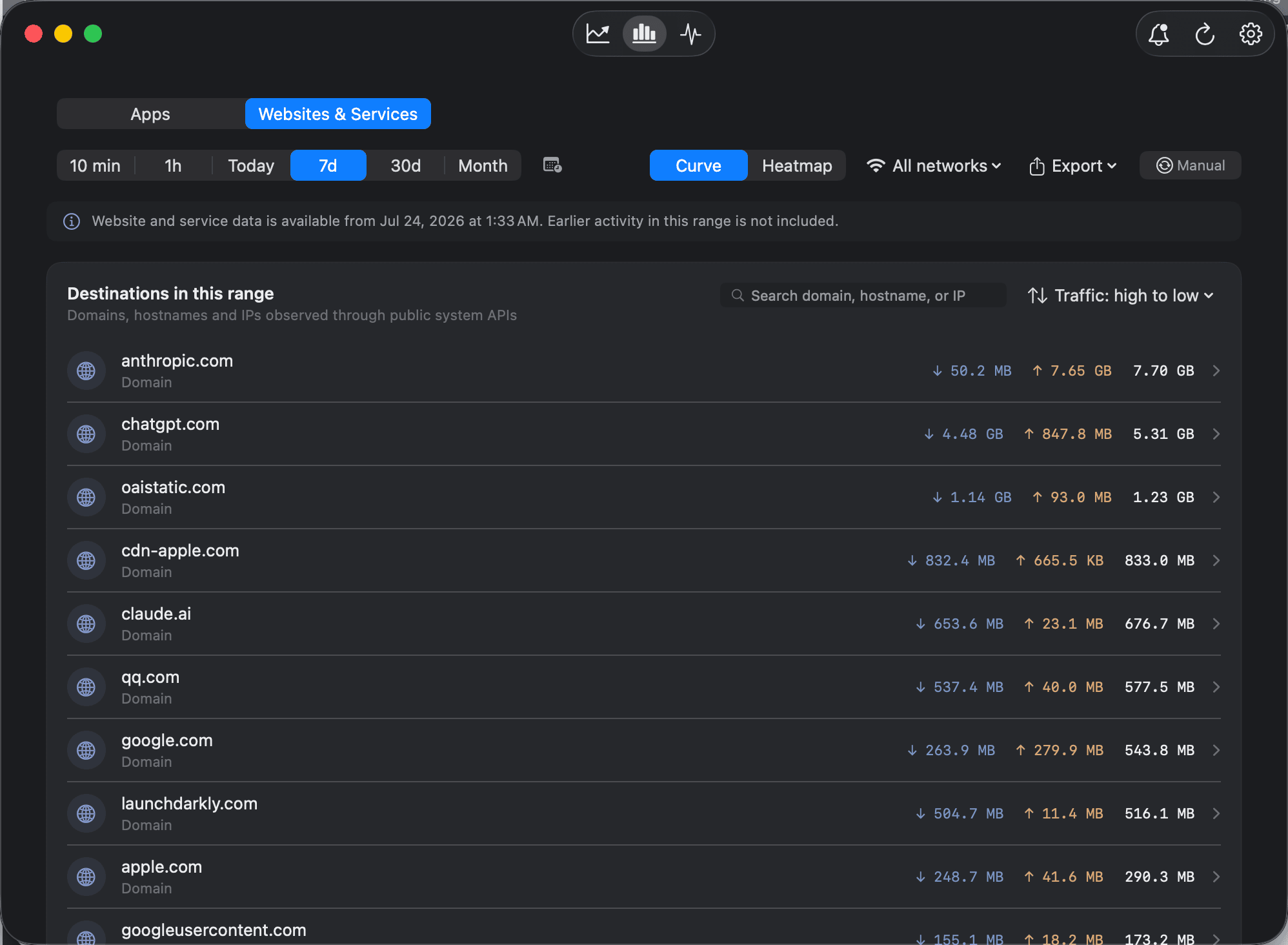
See the websites, not just the apps
Beyond knowing which app is using data, see the websites it talks to — and which apps reach a given website. Traffic routed through a local proxy like ClashX or Surge still resolves to the real destination.
- Both directions: app → websites, website → apps
- Real destinations behind local proxies
- Hosts and connection details under each domain
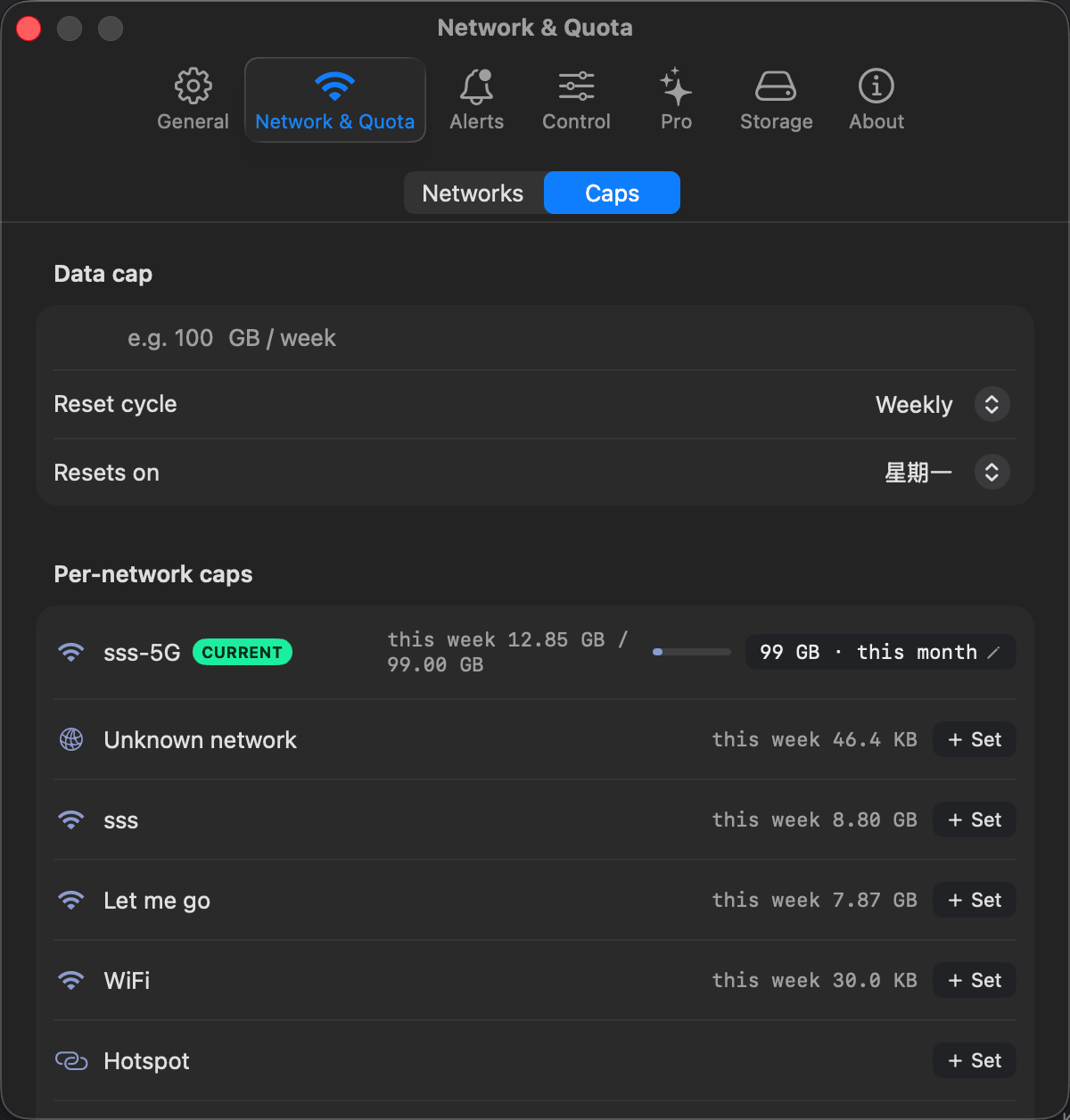
Data caps & alerts
Set a monthly, weekly or daily cap — and a separate budget for each Wi-Fi network. Bytetally warns you before you go over, and flags unusual uploads.
- Per-Wi-Fi budgets · custom 80% / 100% thresholds
- Unusual-upload anomaly alerts
Control any app, one click
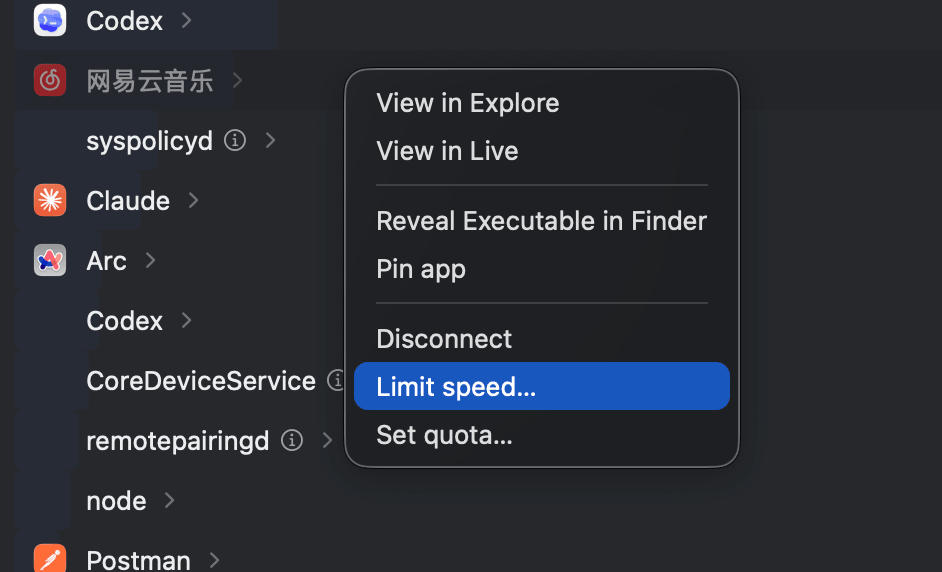
Right-click an app to disconnect it, set an up/down speed limit, or give it its own data quota — no rules to write.
- One-click disconnect
- Smooth per-app speed limit (up & down)
- Per-app data quota
Control a single website
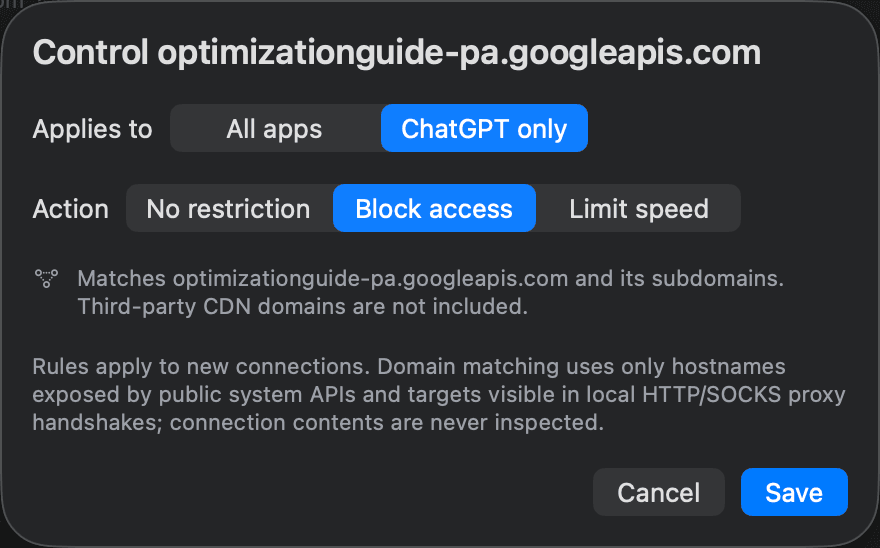
When one website is eating your data, block or throttle just that one — no need to cut off the whole app. A rule can target an exact host, and the Rule Centre shows how many times each rule actually fired.
- Block or throttle one domain or host
- Scope a rule to one app, or all apps
- Rule Centre shows real enforcement counts
Overage auto-response
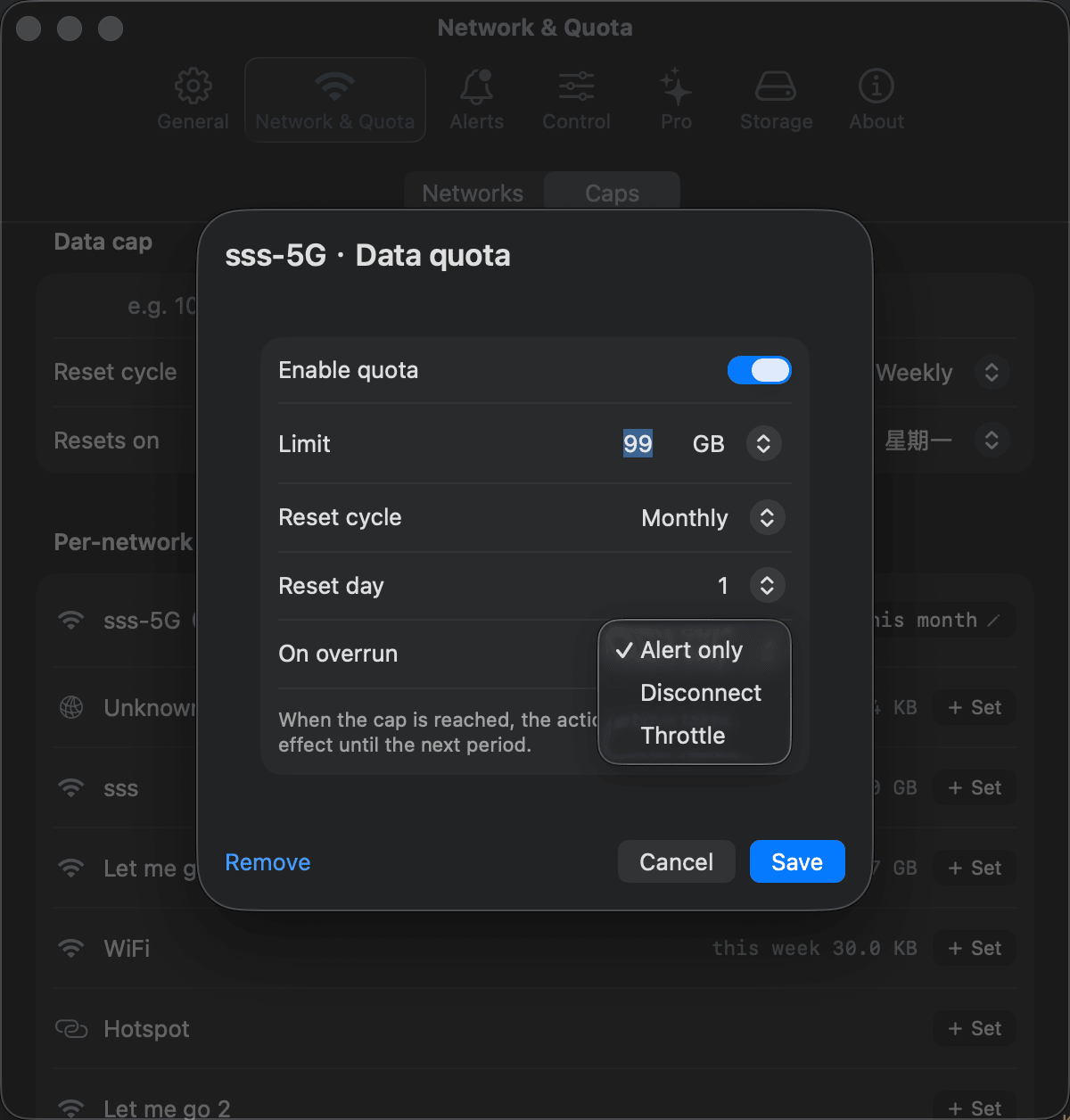
When a cap is reached, Bytetally can automatically cut the network or throttle it — so you never blow through a limit while you're away from the keyboard.
- Auto disconnect or throttle on full quota
Export & customize
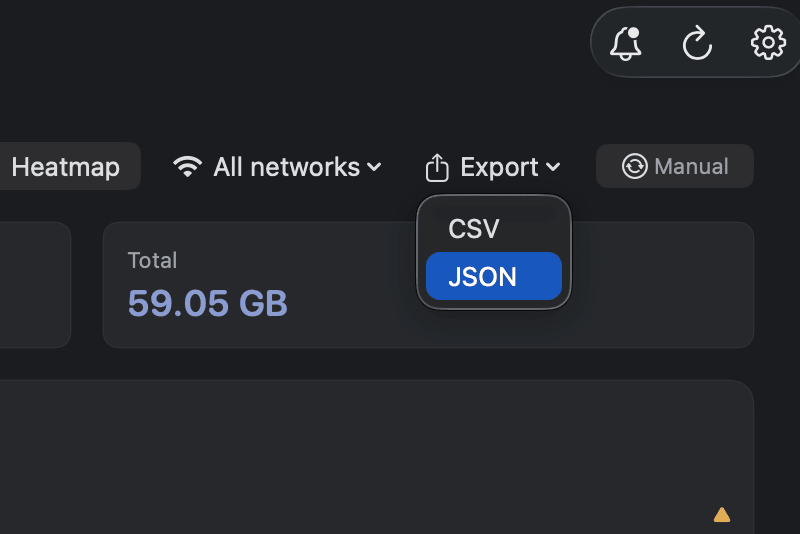
Export your data as CSV or JSON at any granularity, and switch the menu-bar item between live rate, today's total, and quota percentage.
- CSV / JSON export by minute, hour, day or month
- Switchable menu-bar mode
Your network data never leaves your Mac.
Every byte is analysed on your Mac and shown only to you. There is no account to create, and the app is fully sandboxed for the Mac App Store — your usage data stays with you.
Start free. Upgrade when you need control.
Download and monitor for free. Unlock Pro with a free trial — subscribe or buy once.
- Per-app traffic & live menu-bar rate
- Overview, top apps & 7-day trend
- Smart VPN / proxy attribution
- Full history, heatmap & network filter
- Data caps, per-Wi-Fi budgets & alerts
- Per-app disconnect, throttle & quota
- Overage auto-response · CSV/JSON export
- Volume licensing
- Managed deployment guidance
- Priority support
Coming from another tool? Or just want the how-to?
Deep dives on how Bytetally compares to popular Mac network tools, and practical guides for the most common problems.
Good questions.
What is Bytetally?+
Does Bytetally upload or collect my data?+
Is Bytetally free?+
Does it work with VPNs and proxies?+
What do I need to run it?+
Take back your bandwidth.
See where every byte goes, stay under your cap, and rein in the apps that don't behave.